Nuri Studio


Work

Restaurant demo

Hospitality — Christchurch

An ordering and bookings system built for a Christchurch restaurant, replacing a WordPress site that handed every order to a third party and 25–30% of its value with it.

The half a customer sees is a menu and a checkout, and every agency can build that. The half the owner uses is the business: orders arriving in the middle of service, the menu, the opening hours, the delivery map, the drivers, and what sold last month. That is the half below.

The screenshots below are from a sandbox copy of this system, running on invented data under an invented name. It signs you in as the manager in one click, so you can change the menu, reject an order or close next Sunday without touching a real restaurant — and it puts itself back every night.

What their customers see
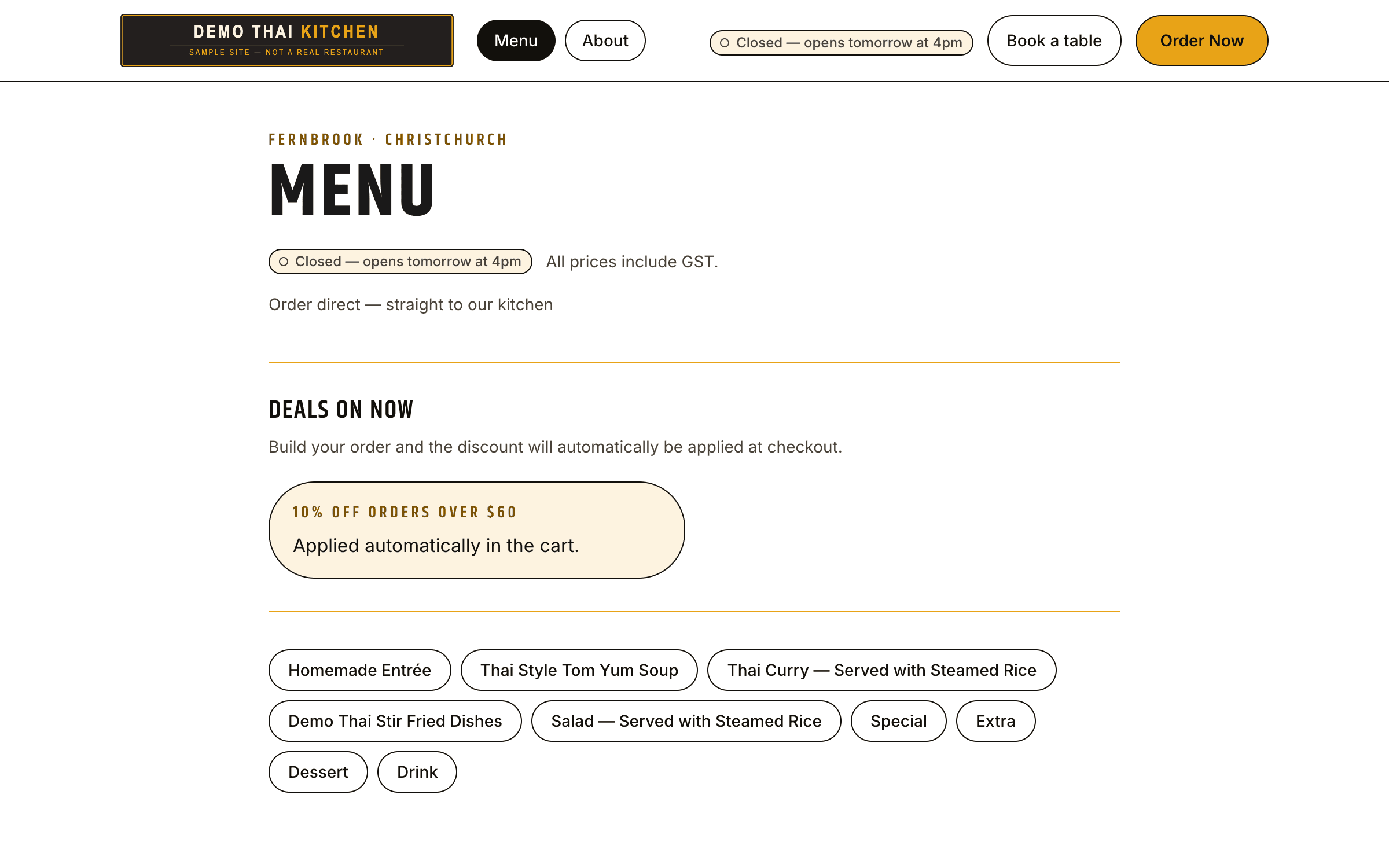
The menu page, dishes grouped under category headings with prices and dietary tags.
The menu is the owner's, not ours. Every category, dish, description and price on this page is theirs to change.
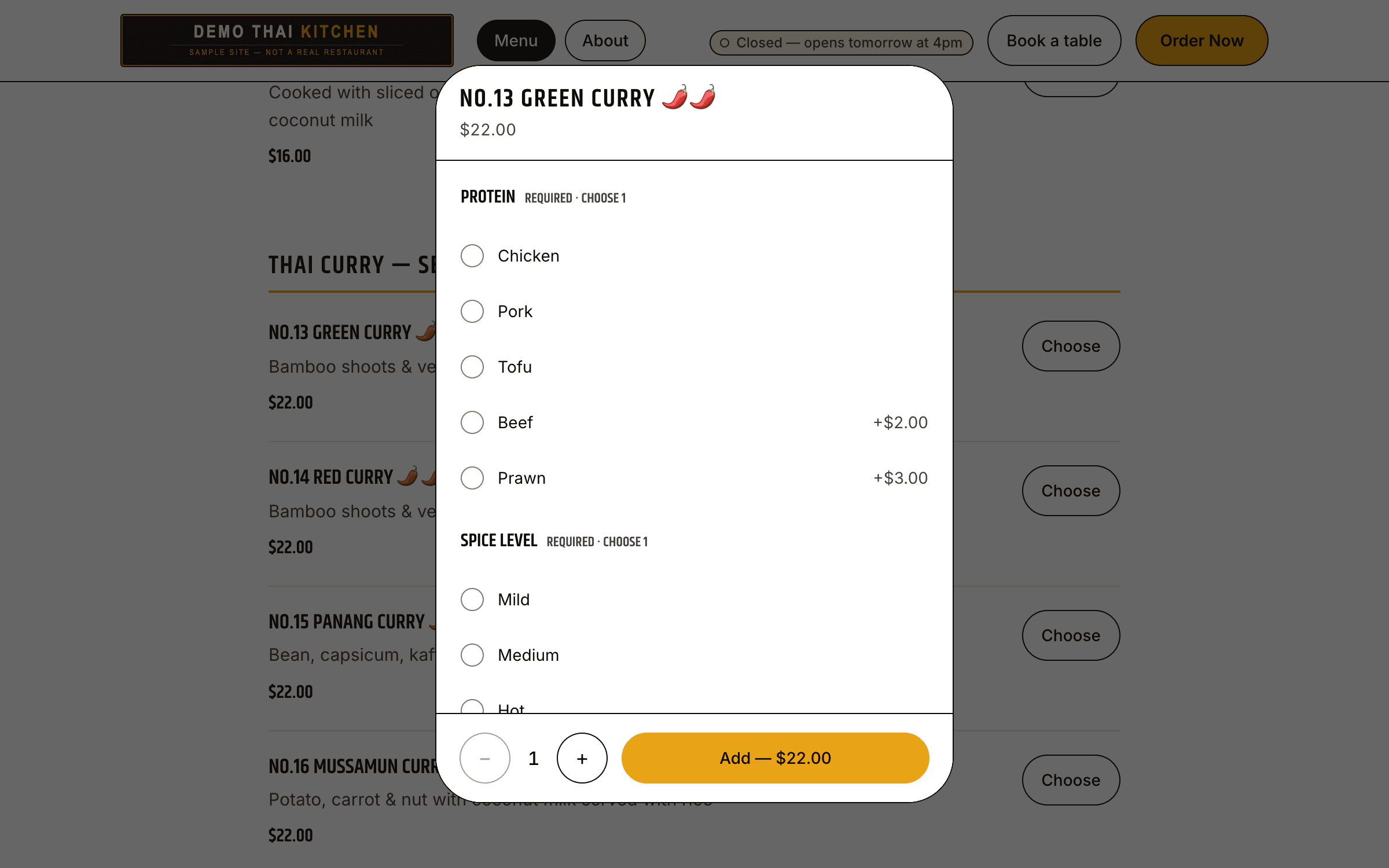
A dialog over the menu asking for protein, spice level, extras and rice, with prices beside some options.
Options are priced. Prawn adds $3, a fried egg adds $2 — and the total is worked out on the server, because a price the browser sends is a price a customer can edit.

What the owner gets

The part that is not on the public site, and the part most of the work goes into. Everything below is done by the owner, from a phone or the counter tablet, without asking anyone.
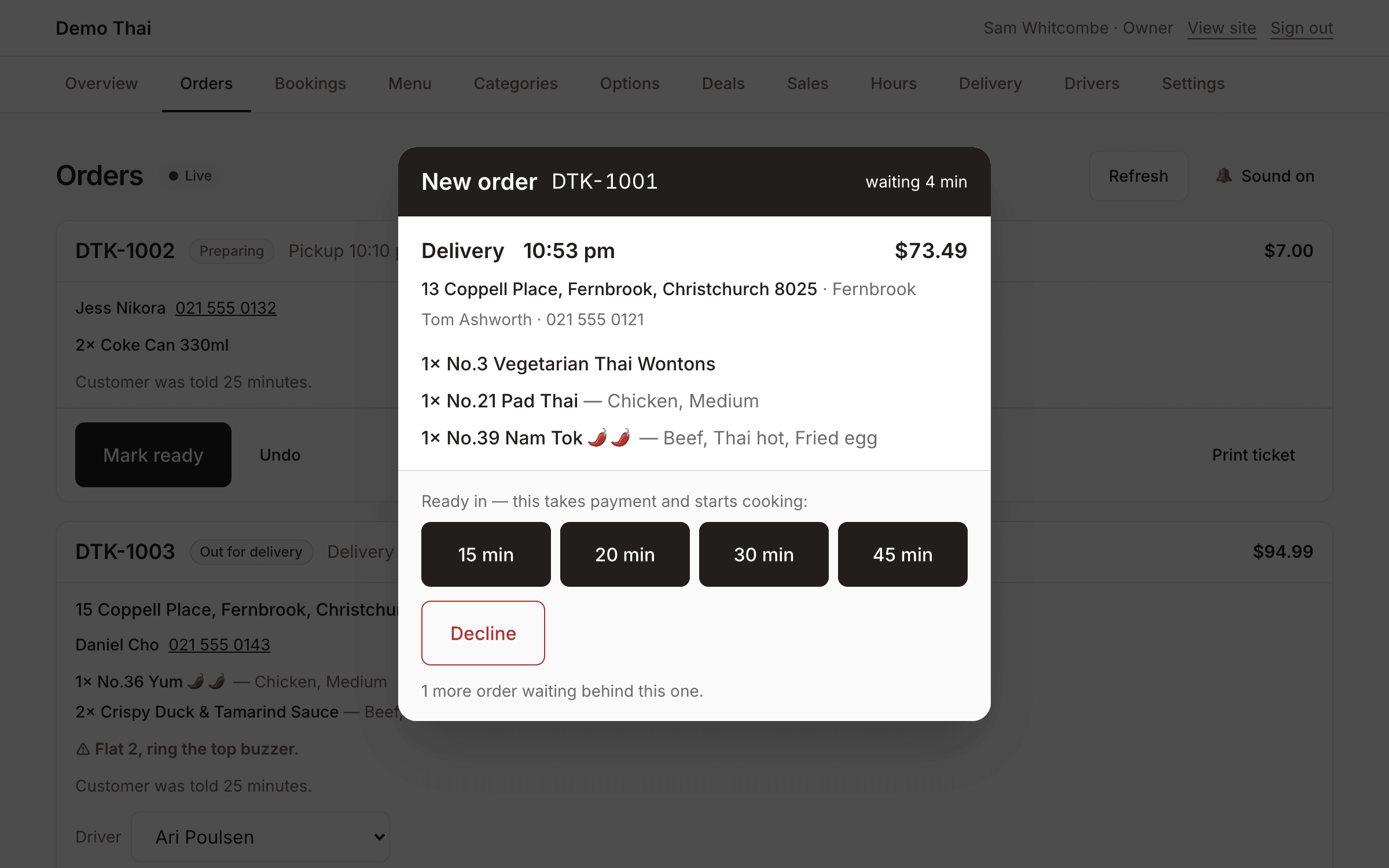
The order queue with a full-screen new-order alert showing the items, the address and four prep-time buttons.
An order lands mid-service. The tablet alarms, keeps its own screen awake, and will not let the alert be dismissed without a decision — because an order nobody noticed is a customer charged for food that was never cooked.
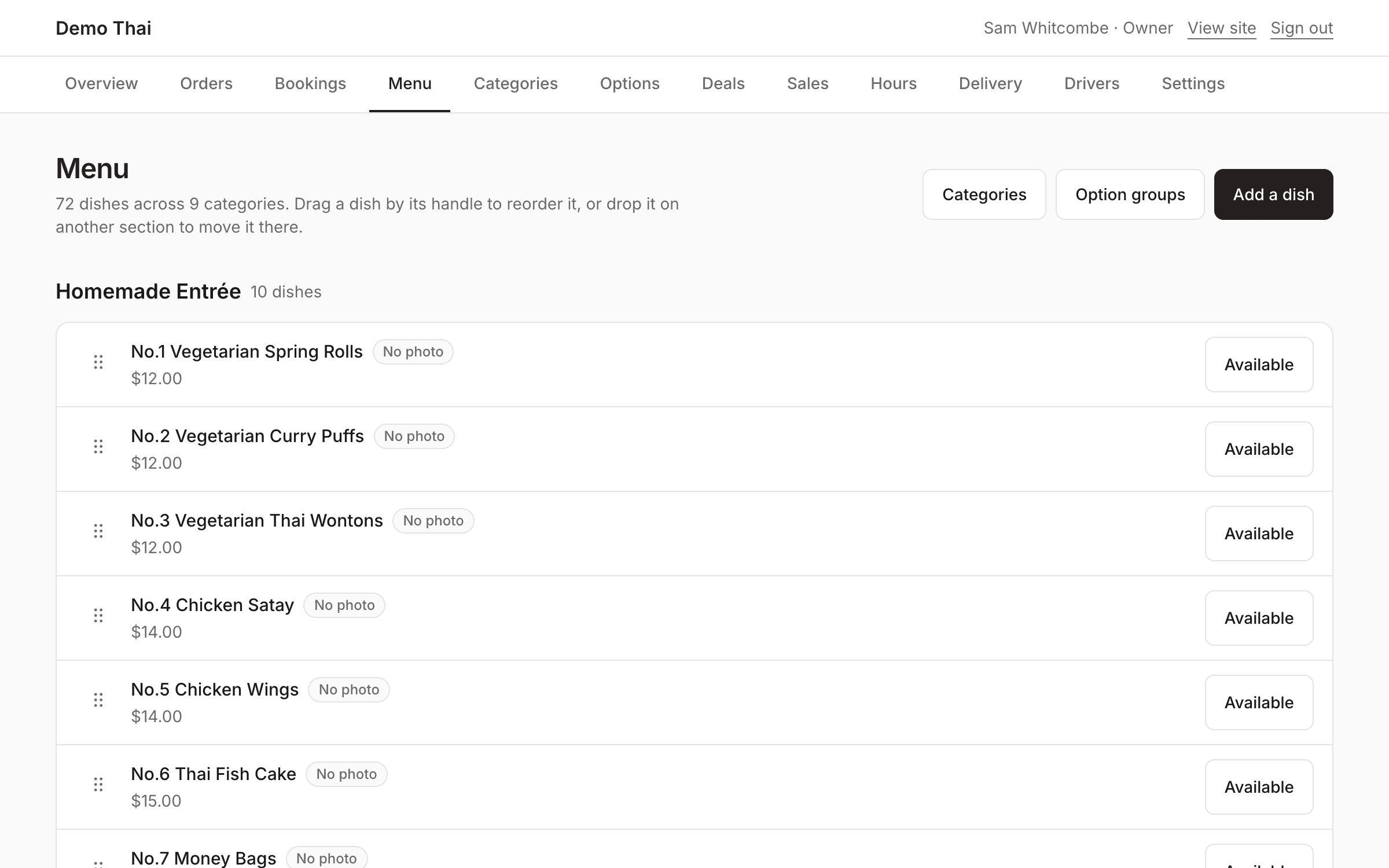
The dashboard's menu manager, listing categories and dishes with edit controls.
Add a dish, change a price, mark something sold out at seven on a Friday. No developer, no deploy, no waiting until Monday.
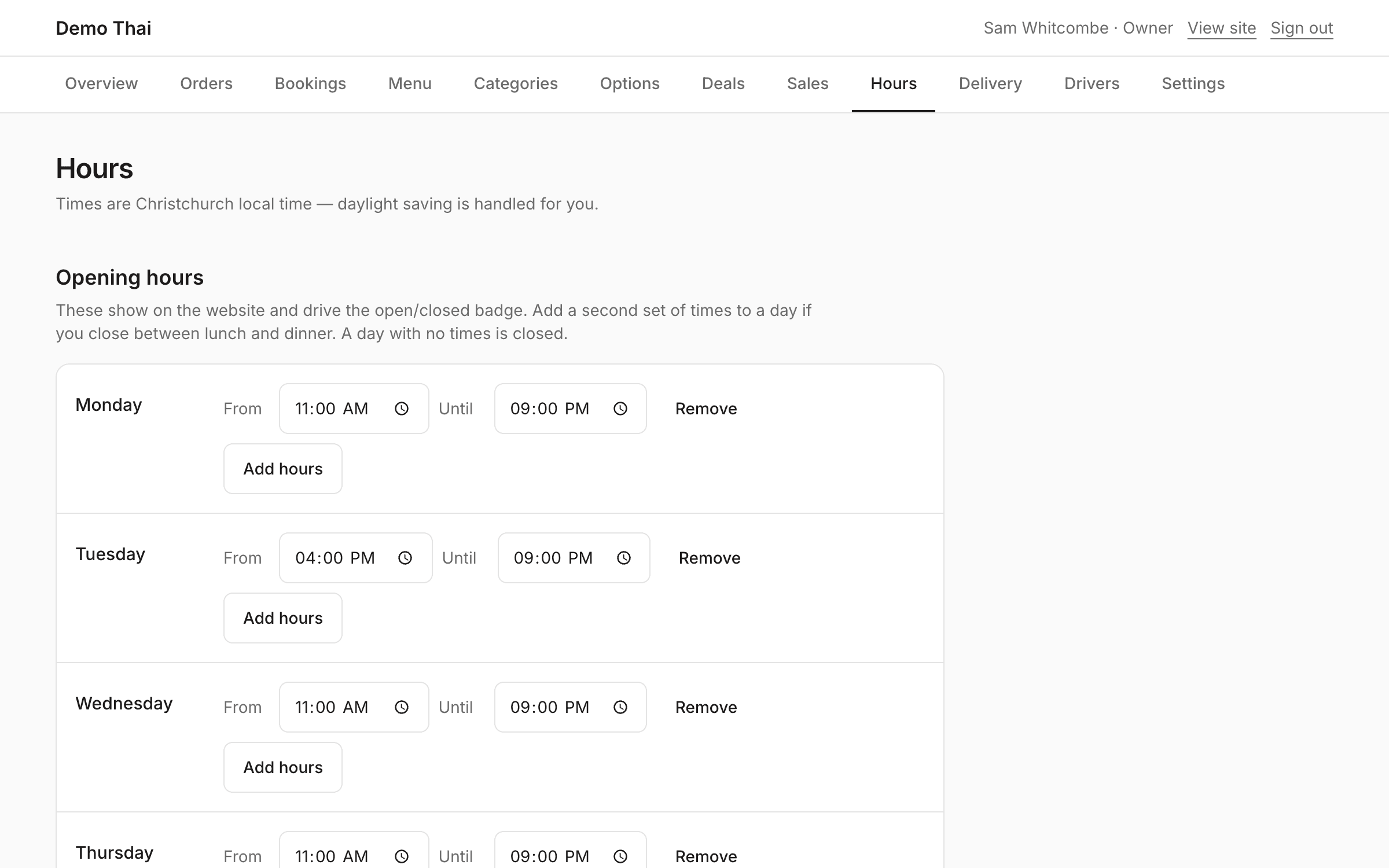
The opening hours screen, a row per day, with a section for date-specific changes.
Opening hours, and one-off changes to them. Closing next Sunday is a form the owner fills in, not a phone call to us.
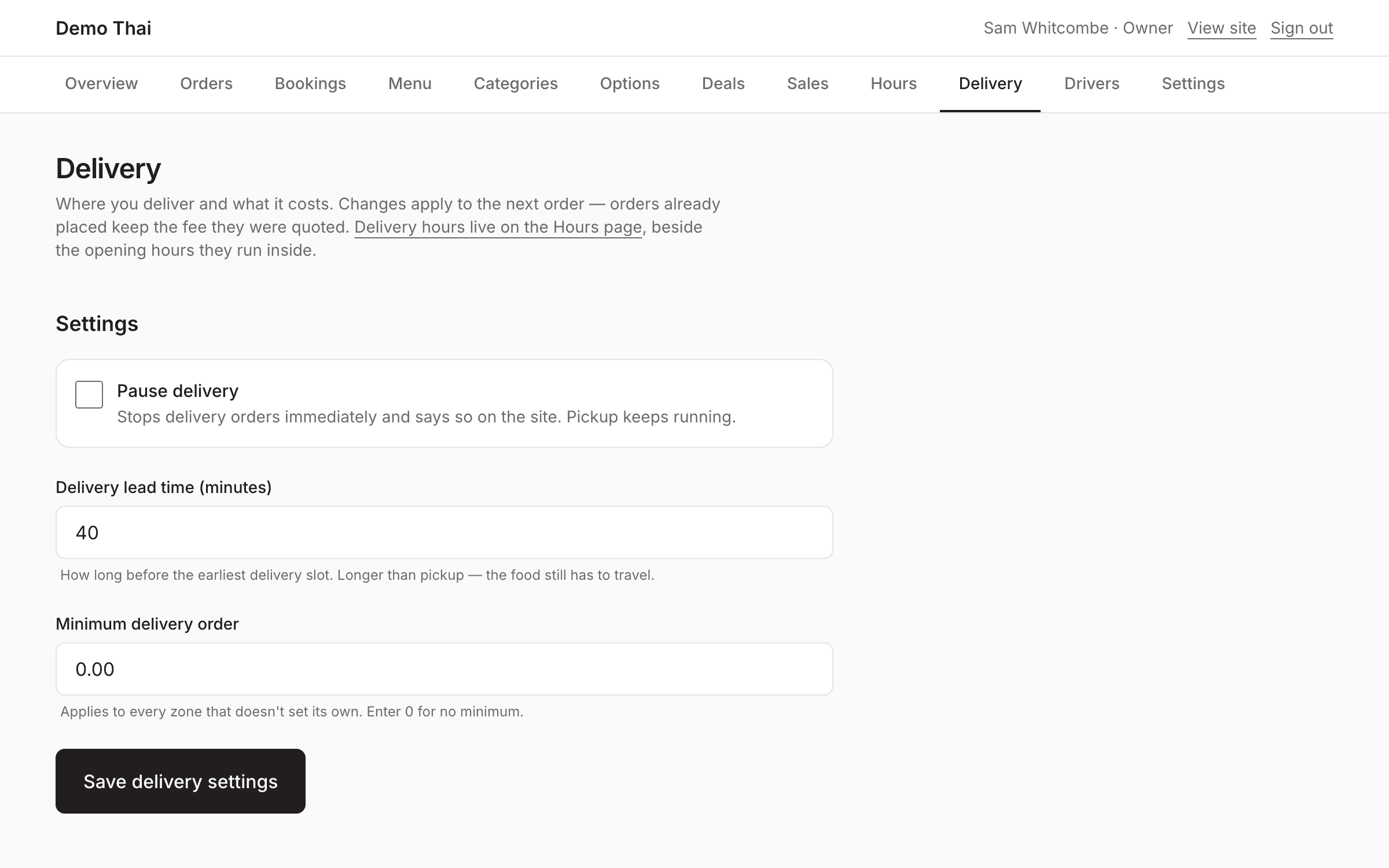
The delivery screen listing suburbs with a fee and a minimum order against each.
Where they deliver and what each area costs. The suburb is matched against the address the customer actually picked, so a quote is never a guess.
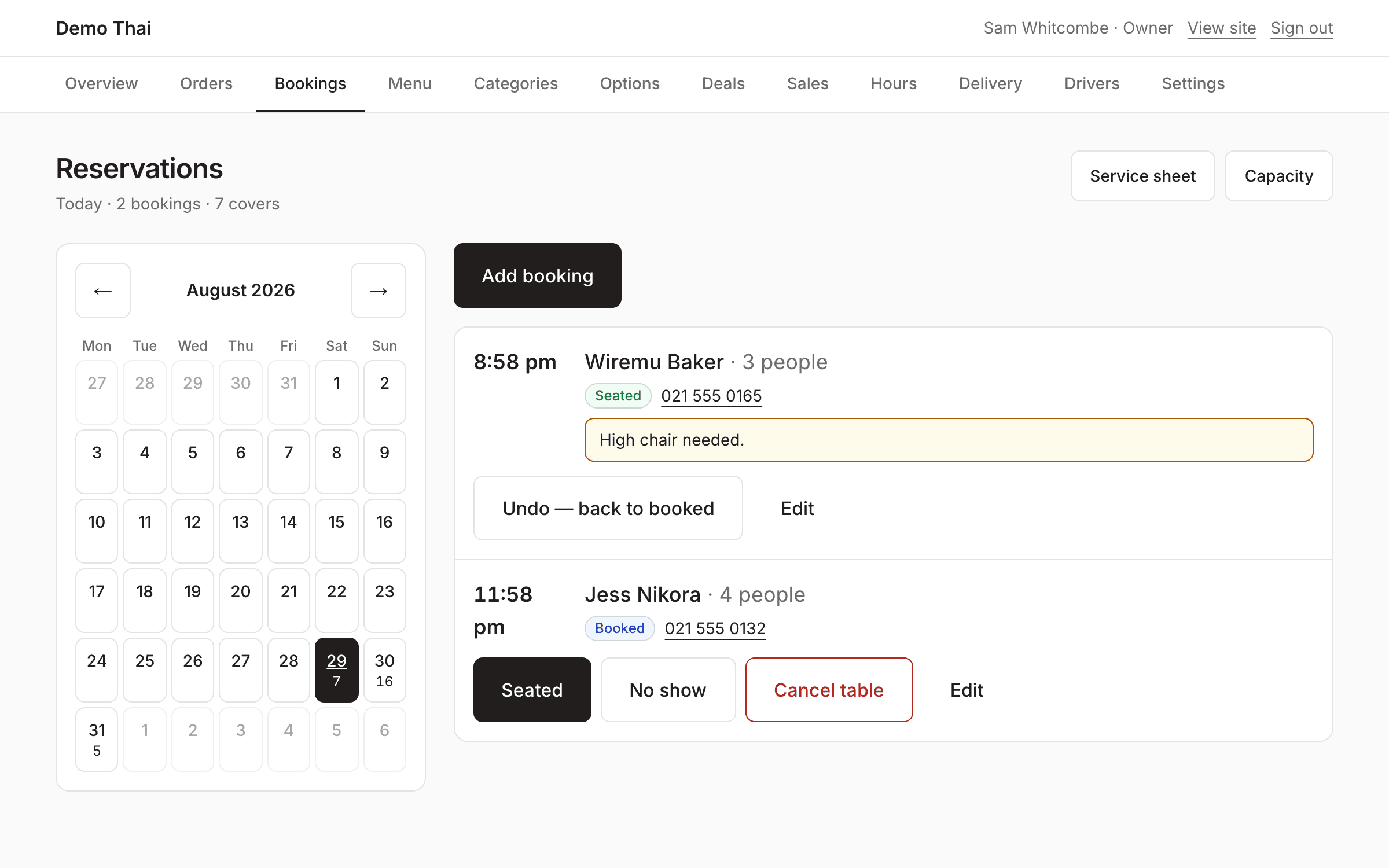
The bookings screen showing a day's reservations with party sizes and times.
Bookings taken online and bookings taken over the phone, in one place — so the sheet in front of the host is the whole room, not the half that came through the website.
The sales screen: revenue and order counts over a date range, with a list of top dishes.
What sold, over whatever range they ask for, exported to CSV for the accountant.

Contact

Tell me about your business.